
Ready by 4:58pm Oct 26, 2026
Turnitin Report Colours and Similarity Bands Explained
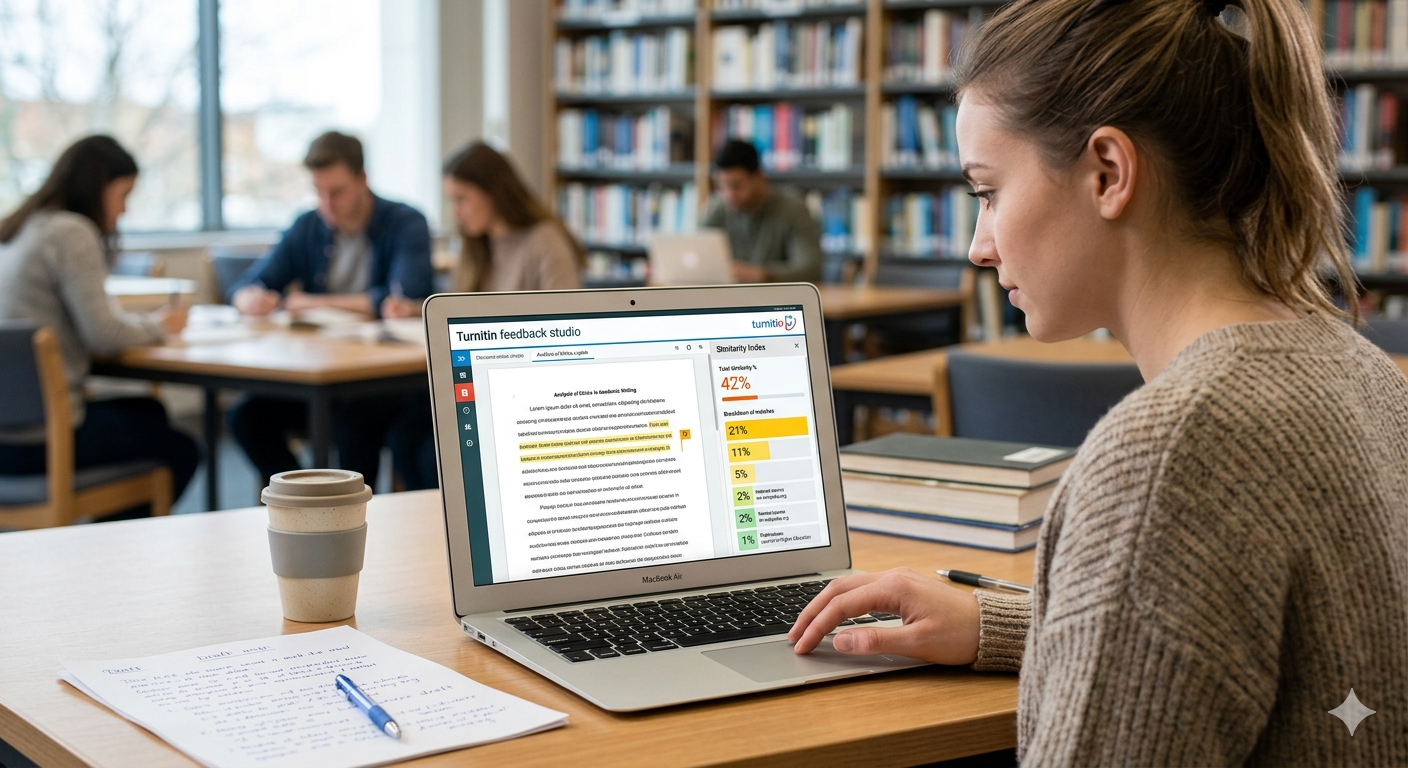
Turnitin report colours indicate the percentage of matching text found in your document, with blue showing no matches, green indicating low similarity, yellow and orange representing moderate similarity, and red showing a high level of matched content.
However, these colours do not automatically mean your work is plagiarised, they simply highlight how much text overlaps with existing sources. This guide covers what each colour means, why the scheme itself can vary depending on which Turnitin product your university uses, how to interpret your similarity score properly, and what to do if your report shows a high percentage before submitting your assignment.
What do the Turnitin colours mean?
Turnitin maps your similarity percentage onto a simple colour scale, so you can see the rough level at a glance before you dig into the detail. The most common version, used in Feedback Studio, is the one most UK, US and Australian universities see:
| Colour | Similarity | What it suggests |
| Blue | No matching text | Nothing matched, though a quick sanity check is still wise |
| Green | 1% to 24% | Low overlap, usually healthy |
| Yellow | 25% to 49% | Medium, review the larger matches |
| Orange | 50% to 74% | High, needs real attention |
| Red | 75% to 100% | Very high, check carefully before submitting |
The bands are wide on purpose. Green covers everything from one per cent to twenty four, which is why two green reports can look very different once you open them. The colour is a starting point, not a conclusion.
Why the colour scheme itself can differ
This is the part most guides skip, and it is worth knowing before you compare your score to a chart online. Turnitin explicitly states that the colour scheme used for similarity scores can vary depending on the integration, and this is expected rather than a fault. There are at least three versions students encounter:
- Feedback Studio, Feedback Studio with Originality, and Originality Check (the most common setup at UK, US and Australian universities): Blue at 0%, Green from 1% to 24%, Yellow 25% to 49%, Orange 50% to 74%, Red 75% to 100%.
- Turnitin Similarity and SimCheck: the low end is flipped compared to Feedback Studio. Green sits at 0% and Blue covers 1% to 24%, with Yellow, Orange and Red staying the same as above.
- Some LMS integrations: a handful of institutional setups use entirely different bands, for example Blue 0% to 20%, Green 21% to 40%, Yellow 41% to 60%, Orange 61% to 80%, Red 81% to 100%.
Before you panic or celebrate over a colour, check which system your module actually uses, since a yellow badge means something different depending on which version you are looking at. The percentage next to the colour is always the reliable number. The colour is a convenience layer on top of it, and Turnitin says outright that the variation does not affect the underlying result.
Check your Turnitin score for UK universities, Australian universities, European universities, and Canadian universities.
Does a red score mean I plagiarised?
Not by itself. A red or orange band tells you a lot of text matched, but it says nothing about why. A long quoted passage, an included reference list, a heavily templated methods section, or an assignment that reuses a provided brief can all push the colour up without any wrongdoing at all. Plenty of honest work lands in yellow or higher for innocent reasons.
The only way to know what a high colour means is to open the breakdown and look at the matches. If they are quotes and references, you are probably fine. If a single source is contributing most of the score, that is the part to examine. For the underlying logic on what a healthy result looks like, read what counts as a good Turnitin score.
What are Match Groups, and why do they matter more than colour?
If your institution uses the newer Enhanced Similarity Report, opening a match does not just show you a percentage and a source, it sorts every matching passage into one of four Match Groups based on how you handled the source:
- Cited and Quoted: the passage is both properly cited and placed in quotation marks. This is the safest kind of match.
- Missing Quotations: the passage is cited, so the source is credited, but it is not in quotation marks even though the wording is copied closely.
- Missing Citation: the passage is in quotation marks but has no citation pointing to where it came from.
- Not Cited or Quoted: the passage matches a source with no citation and no quotation marks. This is the group markers scrutinise hardest.
This matters because the Match Group behind your score tells a very different story than the colour alone. A 28% score made up almost entirely of Cited and Quoted matches is a safer report than a 12% score sitting mostly in Not Cited or Quoted, even though the smaller number looks less alarming on the surface. When you open your report, check which Match Group your largest matches fall into before you judge the colour at all.
Two real reports make the point sharper than any rule can. The first: a dissertation literature review lands on yellow at 34%, and every one of its matches turns out to be Cited and Quoted, direct engagement with the field it is supposed to be reviewing. Nothing to fix, despite the alarming-looking colour. The second: a short essay lands on green at 9%, well inside the “safe” band by every rule of thumb, but three of those percentage points are one uncited paragraph that landed squarely in Not Cited or Quoted. The green report is the one that actually needs rewriting before submission. Colour told the opposite story to the reality in both cases, which is exactly why the Match Group, not the badge, is what a careful marker opens first.
A separate signal worth knowing about is the Integrity Flags panel, which is independent of both the colour and the Match Groups. It looks for signs of deliberate manipulation, such as replaced characters, where a Latin letter is swapped for a visually identical Cyrillic or Greek one to dodge matching, or hidden text, where white-on-white text is inserted to inflate word count or break up copied passages. A non-zero flag count gets manually reviewed regardless of what colour the rest of the report shows.
How do I see which sources matched?
Open the match overview, which lists the sources your text matched and the share each one contributed. Sort or read by size and focus on the largest match first, because one big match matters far more than a long list of tiny ones. Click into a match to see the exact passage in your work next to the source it came from, which makes it obvious whether it is a quote, a citation or something you need to rewrite, and which Match Group it belongs to if your report has that view.
Can I exclude quotes and the bibliography?
Often, yes. Turnitin can exclude quoted material and your reference list from the calculation, which strips out a lot of harmless matching and gives a cleaner view of your own writing. Whether you can turn this on depends on the settings your institution uses, so it may already be applied, or it may be something only your tutor controls. If your score looks high mainly because of quotes and references, excluding them usually brings it down to a fairer level.
What should I do if the colour is high?
Work through the biggest matches in order and decide what each one is. Turn passages that are too close to a source into proper quotes or rewrite them fully in your own words, keeping the citation. Check that your quoting is correct, since long unquoted copied stretches read as the worst kind of match and typically fall straight into the Not Cited or Quoted group. Then run the check again to confirm the colour has come down for the right reasons. The full method is on how to lower your Turnitin score, or you can confirm your final result with the Turnitin report for $5.
Why can your colour change between checks?
It can be unsettling to check the same document twice and see a different colour, but there are good reasons it happens. The most common is that the database grew between checks. Turnitin’s archive expands constantly as new student work is added, so a passage that matched nothing last month might match a newly submitted paper this month, nudging your score up. Settings are another big factor. If quotes and the bibliography were excluded in one check but not the other, the percentage will differ even though the writing is identical.
Your own edits matter too. Rewriting one passage can lower the score, while adding a new quotation or a fresh batch of references can raise it, so a draft that you improved overall might still show a higher number because you added cited material. The lesson is to read the matches and their Match Group rather than chase the percentage, since the colour can shift for reasons that have nothing to do with the quality or honesty of your work.
Need plagiarism checks at scale? Get bulk Turnitin reports for your business in the UK, Australia, Europe and Canada.
Reading the colour alongside the AI indicator
If your institution has the AI writing indicator switched on, you will sometimes see it next to the similarity colour, and it is important not to confuse the two. The colour band reflects matching text, how much of your work overlaps with other sources. The AI indicator reflects how machines like your writing reads, using a completely separate model. They are entirely separate measurements, and a document can be green on similarity while still showing an AI flag, or vice versa.
So treat them as two different questions. A high colour points you to your sources and quoting. An AI flag points you to your own phrasing and how you produced the text. For the detail on the AI side and how reliable it is, see Does Turnitin detect AI, and keep in mind that neither figure is a verdict on its own.
Frequently asked questions
Is green always safe?
Usually, but not automatically. A green twenty per cent built around one eighteen per cent source still needs a look, and if that source sits in the Not Cited or Quoted Match Group it is a real issue despite the reassuring colour. The spread of matches matters more than the band, so always open the breakdown.
Why is my colour high when I cite everything?
Citing correctly still creates matches, because reference lists and quotes are matching text by definition, and they typically land in the Cited and Quoted Match Group. Excluding the bibliography and quotes, where your settings allow, usually fixes a high colour caused this way.
What does a blue Turnitin result mean?
Blue means no matching text was found at all in the Feedback Studio scheme, though it means the opposite, 0% similarity shown as green, in the SimCheck scheme. Either way it is rarer than you might think, because most academic writing matches at least its references and a few common phrases. A zero match on a research heavy assignment is worth a second look too, since it can sometimes mean too few sources were cited rather than flawless originality.
Can I change the colour bands myself?
No. The bands are fixed by Turnitin and tied to which product your institution runs, not something a student can adjust. What you can sometimes change, where your institution allows it, is whether quotes and the bibliography are excluded from the calculation, which affects the percentage and therefore the colour you land in.
See your own report colour before submission. Get the Turnitin report for $5 and read every match.
Popular posts

150 History Research Paper Topics (2026)
September 12, 2026

Primary vs Secondary Research: Which Should You Use?
February 25, 2026
Best AI Content Detectors in 2026
July 11, 2026
Capital Budgeting: NPV, IRR and Payback Period Made Simple
July 12, 2026
130 Statistics Project Ideas for Students (2026)
September 3, 2026
Want more tips & great deals? Get them sent to your inbox
Please enter a valid E-mail
By clicking "Subscribe" you agree to be contacted via e-mail. You can always unsubscribe from the newsletter


